What's new · 1 November 2026
The calendar has been renewed
From today the Timeblu calendar has a new look, and creating an appointment is quicker. Here is what has changed, so nothing takes you by surprise.
Every appointment, in the panel on the right
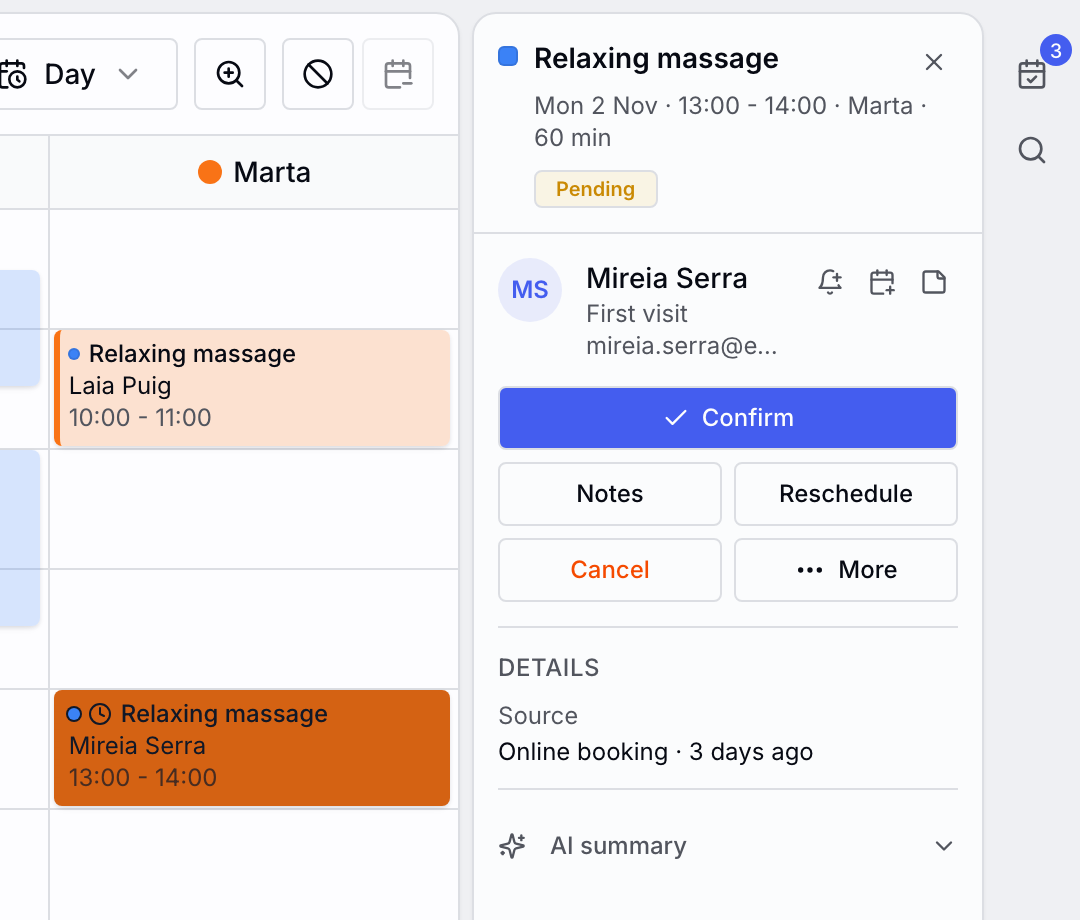
Clicking an appointment opens its details on the right, instead of the little window from before. There you have the client, their last visit and what to do next: Confirm or Checkout, Notes and Reschedule; everything else is under More.
The details stay open while you work and close with the ✕. On a phone they open in a sheet from the bottom.
New appointment, with the free slots in sight
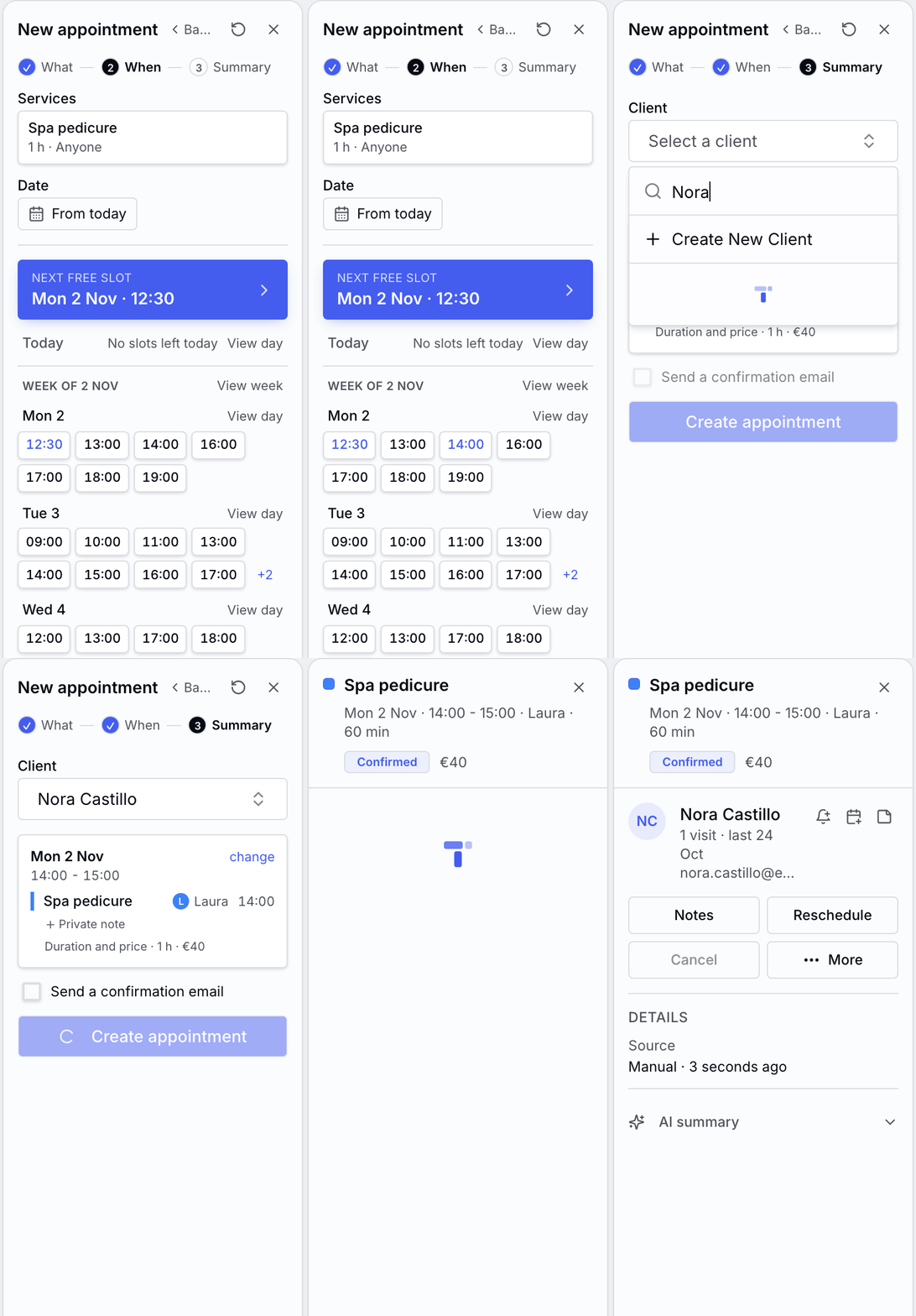
Pick the service and you will see the free times of the coming days, grouped by week: the same ones your client sees when booking online.
Tap a time and, if that day is on screen, the calendar marks it with a dashed box so you can see where it will land. Choose the client, create the appointment and its details stay open.
Prefer the calendar? Click a free time and New appointment opens with that time already set.
A clearer calendar
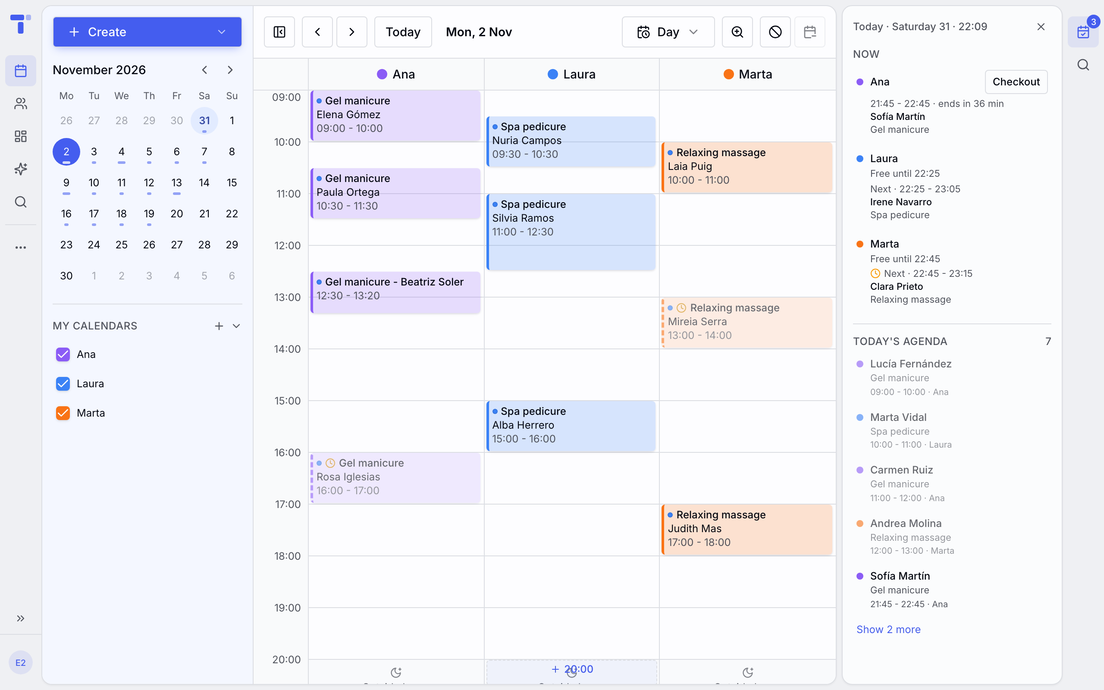
Appointments are easier to read, and pending ones carry a dashed bar. In the mini month on the left, a bar under each day tells you how full it is.
On the right, the Today panel tells you what each specialist is doing right now, when they finish and what is left of their day.
A tidier navigation
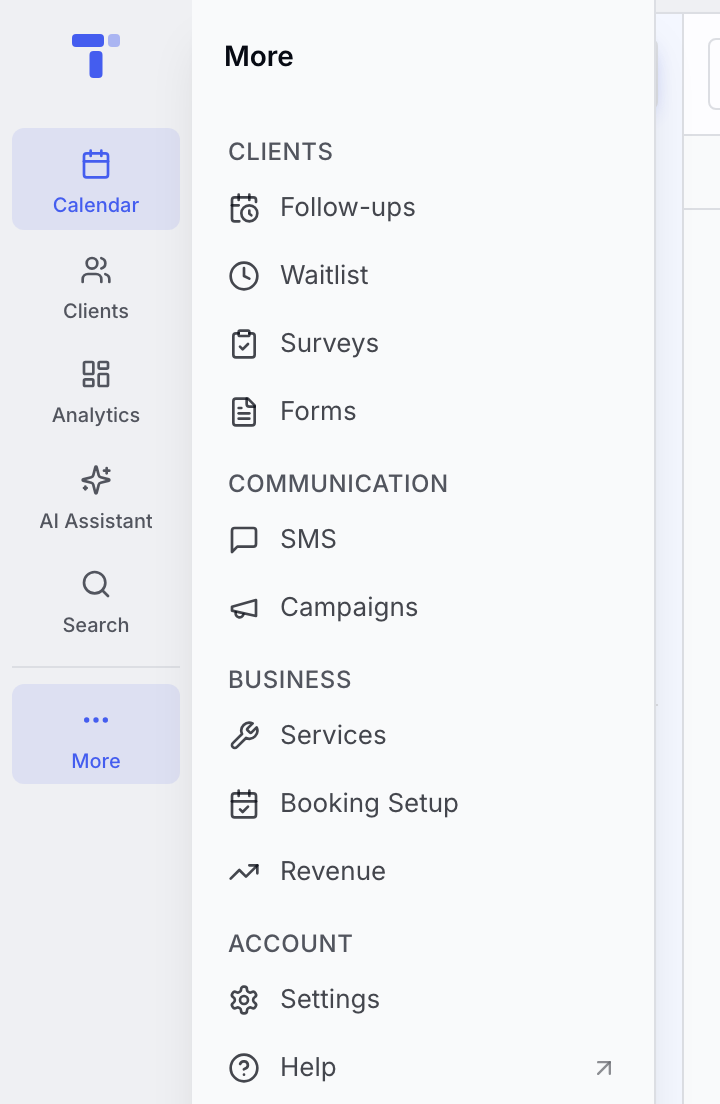
The bar on the left keeps your everyday tools at hand: Calendar, Clients and Analytics, the AI Assistant and Search.
What you use now and then, like Services, Campaigns or Settings, is under More, in four groups. On those pages More stays open beside them, and « folds it away.
Send feedback now lives in your account menu, bottom left.
More shortcuts when booking
- Reschedule opens over the details with the free times, and only lets you save once you change the time or the specialist.
- From today starts the search on the day you choose, and its calendar shows how full each day is.
- ↺ Start over empties the booking, and Undo brings it back.
- If you close a half-made appointment with the client or the service already chosen, it asks before discarding it.
And since last time
- More times in online booking: your clients also see the time right after each appointment, so no stray gaps are left between one and the next.
- Your schedule on your phone: subscribe to your calendars from Google Calendar or the iPhone calendar.
- Booking inside your website: put the booking steps on your own page.
- Import your data: clients, appointments and services from your previous tool (CSV, Excel or calendar).
- Your own text in reminders: a paragraph of yours at the end of every reminder, by email and WhatsApp. 💎Max plan